Advice:How to Create a QR Code
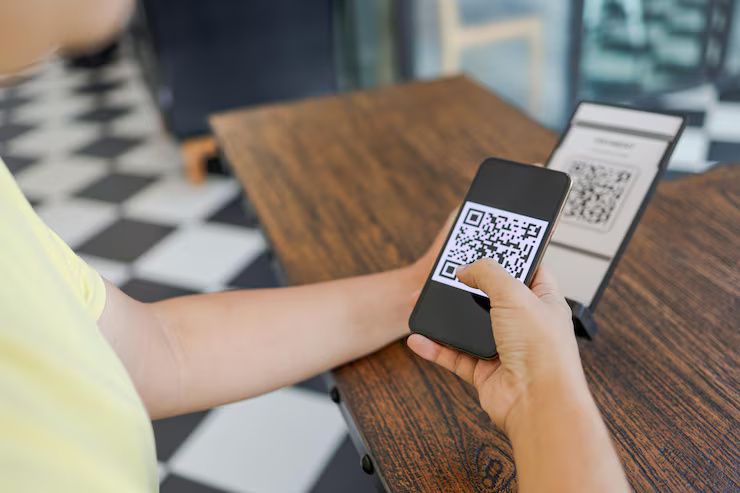
QR codes (Quick Response codes) are two-dimensional barcodes that can store data such as URLs, contact details, payment links, or Wi-Fi credentials. When scanned with a smartphone or QR code reader, they instantly direct users to the linked content.
Originally invented in the 1990s for tracking automotive parts, QR codes are now used across industries—from restaurants and retail to education and healthcare. They offer a fast and contactless way to share or access information.
Why QR codes are important today
QR codes have become especially popular in recent years due to their convenience, touch-free use, and growing smartphone compatibility.
They help solve many modern problems:
-
Touchless transactions during and after the COVID-19 pandemic
-
Quick website access from print media
-
Easy information sharing like business cards, menus, or event invites
-
Faster app downloads via direct links
-
Improved marketing campaigns with embedded tracking URLs
Professionals, students, businesses, and content creators use QR codes to simplify interactions, boost accessibility, and create efficient communication points.
What’s new with QR codes in 2024–2025
The past year brought several innovations that made QR codes even more useful:
| Date | Update | Description |
|---|---|---|
| Jan 2024 | iOS and Android improvements | Native camera apps now offer faster and more accurate QR code scanning |
| June 2024 | LinkedIn adds QR code feature | Users can now generate QR codes for their profiles directly in the app |
| March 2025 | Google Chrome enables custom QR codes | Users can now right-click a webpage to generate a QR code directly |
Laws or regulations around QR code usage
While QR codes themselves are not heavily regulated, their use in marketing and data sharing is often subject to broader laws. Here’s what to be aware of:
-
Privacy laws (GDPR, CCPA, DPDP Act India 2023):
If your QR code links to a form collecting personal data, you must comply with data protection laws. Always inform users about data collection and obtain consent when needed. -
Consumer protection policies:
QR codes used in advertisements or promotions must not mislead users. The landing page should match the QR code's claim. -
Health and government regulations:
In some countries, QR codes are used for vaccine certificates or event registrations. These must follow strict data encryption and authentication standards.
Tools and websites to create QR codes
You don’t need to be a designer or developer to create a QR code. Many free and user-friendly tools are available online.
Top free QR code generators:
| Tool | Features | Website |
|---|---|---|
| QR Code Generator | URL, text, contact info, Wi-Fi, email | www.qr-code-generator.com |
| Canva | QR code creation with design elements | www.canva.com |
| QRStuff | Real-time editing, color options | www.qrstuff.com |
| GoQR | Free, no login needed | www.goqr.me |
| Unitag | Custom logo and colors | www.unitag.io |
-
Website URL
-
Contact info (vCard or MeCard)
-
Phone number or SMS message
-
Email address
-
Wi-Fi network login
-
Event calendar invite
-
Location coordinates
How to create a QR code (step-by-step)
Let’s take an example: creating a QR code for a website URL.
Step 1: Go to a QR code generator (e.g., qr-code-generator.com)
Step 2: Choose the content type — e.g., URL
Step 3: Enter the URL you want to link
Step 4: Customize design (optional: color, logo, shape)
Step 5: Click “Download” or “Save”
Step 6: Test the QR code with your phone before using it publicly
Tip: Always test your QR code on both Android and iOS devices before printing or sharing.
Frequently asked questions
1. Are QR codes free to create?
Yes, basic QR codes (especially for URLs or text) are free to generate and use. However, premium services may charge for advanced features like analytics or design customization.
2. Do QR codes expire?
Static QR codes (free) never expire. Dynamic QR codes (often paid) can be edited after creation and may expire if hosted on limited-time services.
3. What’s the difference between static and dynamic QR codes?
-
Static: Fixed data, cannot be changed after creation
-
Dynamic: Editable link, trackable, and often used in campaigns
4. Can I create a QR code with a logo?
Yes, many tools like Canva and Unitag allow you to add your logo to a QR code. Just make sure the QR remains scannable.
5. Are QR codes safe?
Generally, yes. But users should be cautious—malicious QR codes can lead to phishing or scam websites. Only scan codes from trusted sources.
Final thoughts
QR codes are a quick, simple, and cost-effective way to share information in both digital and physical formats. Whether you're a small business owner, student, or content creator, learning how to create and use QR codes can improve how you connect with others.
With the right tools, a little creativity, and awareness of safety and privacy practices, QR codes can be a powerful part of your personal or professional communication toolkit.